Dressmaker Recovery Help
Made a Mistake? Here's How to Recover Your Dress
Most mistakes inside a dress can be corrected without starting it again. Work down the list on this page: fix the one wrong piece, look for anything that has gone, reload, and reset the dress only when the construction itself is wrong.
- Reviewed through Build 410. Checked 29. September 2026.
- Version-sensitive: a patch can change the answers below
What went wrong?
Six things break in the same way: you only see it after the click. Pick the one that matches what is in front of you.
- I cut the wrong panelOne piece is wrong. That is a recut, and the dress does not have to be reset for it.
- I used the wrong fabricWhether it is still cheap to change depends on how much of the dress is already sewn.
- I sewed the wrong pieceTake the stitch out first. Reset the dress only if the seam will not come apart.
- A pattern piece disappearedLook for it on the cutting cloth and in your inventory before you spend anything replacing it.
- My commission is stuckA dress that looks finished can still be missing a piece. Check that before you reset the dress.
- I want to restart the whole dressRead the comparison first: there are three cheaper ways back that a restart would skip.
Each answer below says how strongly it is known. Counts and panel lists are read out of the game's own catalogue, and the patch badge says what the notes do and do not promise. What a restart or a reload restores is reported by players rather than documented, so those sections say so.
Try these in order
The Order That Costs the Least
Everything down to step four leaves the dress where it is and costs you nothing but a few minutes. Restarting is the last thing to try before deciding the problem is not yours at all.
Look at the dress before you touch anything
Open it and read what is actually wrong: a piece that is not there, a seam still open, a requirement sitting grey, or a panel cut from the wrong cloth. The answer is different for each.
Correct the one piece you got wrong
A wrong panel, a wrong cloth or a wrong seam each has its own answer, and none of them needs the dress rebuilt.
Search for anything that should be there
A piece that is not on the mannequin is often still on the cutting cloth, in your inventory, or attached to the wrong part of the dress.
Save, quit, and load the game again
Something that has genuinely vanished is reported to return after a reload. Do this before you cut or buy a replacement piece.
Restart the dress
This clears the dress you are working on and is reported to hand your cut cloth back. Use it when the construction, and not one piece, is what went wrong.
Treat it as a game problem
If the same thing happens twice from a fresh dress, the mistake is not yours. Note the build you are on and check what the latest patch touched.
Steps one to four are reversible. Step five replaces the dress you are working on, so take it only when the construction is the thing that is wrong.
Choose the safest recovery
The First Thing to Try, and What to Reach For After
The left column is what you see, the middle is the cheapest answer that works, and the right column is the one to consider only once the middle has failed.
| What went wrong | Try first | If that fails |
|---|---|---|
| Wrong panel cutFix it | Recut the piece, or recycle it back into cloth | Restart the dress |
| Wrong fabric usedFix it | Swap or recycle it if the dress is not assembled yet | Restart the dress |
| Wrong piece sewnFix it | Unpick the seam | Restart the dress |
| Piece missingCheck first | Search the cloth and your inventory, then save and reload | Restart the game, not the dress |
| Commission will not finishCheck first | Check for a piece that is not attached | Work through the commission checks |
| The whole dress is wrongReset | Restart the dress | Nothing further — this is the case the button is for |
None of these is a guarantee. Recut and recycle depend on how much of the dress has been sewn, and what a restart restores depends on the build you are playing.
The restart button
What Happens When You Restart a Dress?
Restarting puts the dress you are working on back to an empty construction. What it does with cloth you have already cut is the part people ask about, and the honest answer is a report rather than a rule.
Players on the current build report that restarting returns already-cut fabric to an uncut state instead of consuming it. Nothing in the published notes promises that, so save before you press it.
What players report
Reported by playersCloth that was cut for this dress comes back usable, and the dress returns to an empty construction. The same reports do not say what happens to money paid out for the order.
Why that answer is cautious
Version-sensitiveIt describes what the menu did on the build it was seen on. A patch can change it, and behaviour reported on one platform is not automatically true on another.
Before You Restart
- Save your game.
- Check whether the piece you are missing is still on the cutting fabric.
- Check whether undo, recycle or a recut solves it first.
- Restart only if the dress itself needs resetting.
That checklist exists because a restart is the one step on this page you cannot walk back by hand.
One panel, one mistake
I Cut the Wrong Panel
A single wrong piece is the cheapest of these six problems to fix and the least likely to need a reset.
If the piece can be corrected without resetting the whole dress, use the panel recovery route first.
Ruffle Skirt
A cut this long is where a wrong piece hides best: the mistake is one entry in a list rather than something you can see from the mannequin.
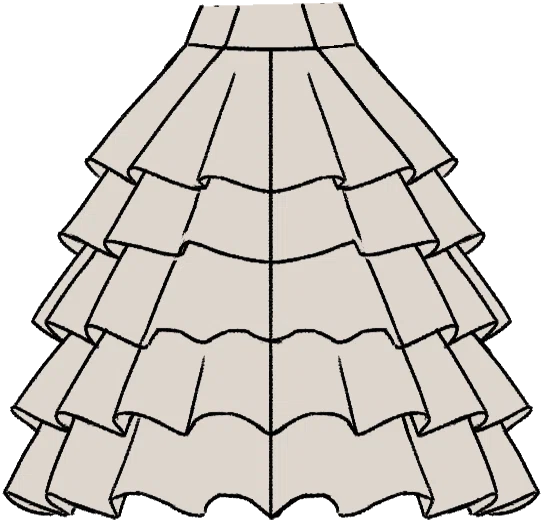
Resetting the dress is not the shortcut here. It replaces every other panel you cut correctly along with the wrong one.
Wrong cloth, wrong dress
I Used the Wrong Fabric
The answer depends entirely on how far the dress has got. Before assembly it is a swap; once several panels are sewn it becomes a comparison against restarting.
What the dress called for
Alexandria Printed Velvet
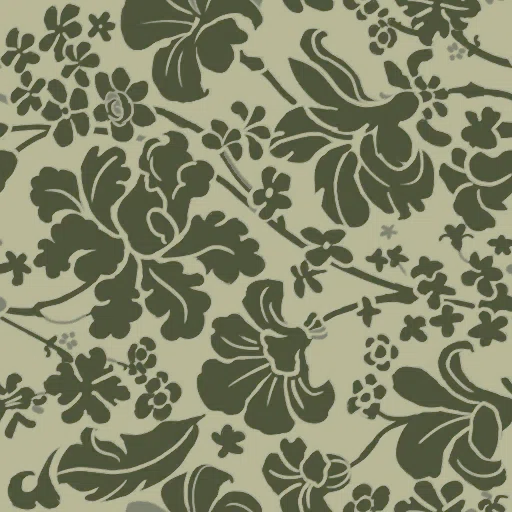
What was cut instead
Amethyst Cotton

Before assembly
Change the cloth while the panels are still loose. If the game lets you take the piece back to the cutting stage, the rest of the dress keeps the work you have already done.
After several panels are sewn
Weigh the two costs honestly: unpicking and recutting one panel against clearing everything back to the cutting stage. Once most of the dress is sewn, a restart is often the shorter route.
The two cloths above are the dearest and the cheapest in the catalogue, shown as the shape of the mistake rather than as a case anyone reported.
The seam in the wrong place
I Sewed the Wrong Piece
Take the stitch out before you consider anything heavier. A seam is the one mistake in this list that is genuinely reversible.
Unpick first
The sewing stage lets you take a stitch back out. Opening the seam returns both pieces to their own slots and leaves the rest of the dress untouched.
Restart second
Only if the seam will not open, or the pieces will not reattach, is the dress itself the problem — and that is when a reset is the cheaper option.
If a piece vanishes after an unpick
Do not unpick the same seam again. Save, quit and load, and look for the piece on the cutting cloth and in your inventory before doing anything else.
Unpicking by hand is slower than a reset and always cheaper: it costs you the one seam rather than every panel already sewn.
Something has gone
A Pattern Piece Disappeared
Search before you replace. Cutting a new piece is the one response that spends cloth on a problem that may not be about cloth at all.
If a piece that should exist has vanished, check the original fabric first, then your inventory and the dress's own slots. If it is genuinely missing, save, quit, and load before rebuilding the dress.
- Look on the cloth the piece was cut from — an unused cut often stays there.
- Check your inventory and the dress's own slots, including the parts already assembled.
- Save, quit and load, then look again before you cut or buy a replacement.
Save and reload before replacing anything. A piece that comes back costs nothing; a piece you cut again costs cloth you may want later.
The dress that will not submit
My Dress Is Finished, But the Commission Won't Submit
This is usually not a construction problem, so it is not a restart problem either. Four checks, and resetting the dress is the last of them.
A dress that looks finished on the mannequin can still be one piece short. Check the requirements and look for a piece that is not attached before you consider resetting anything.
- Read the requirement list against the dress, including any that look satisfied at a glance.
- Look for a cut piece that never made it onto the mannequin — that alone can hold a commission open.
- Save, quit and load. Players report a fully satisfied brief passing after a reload and not before it.
- Only then treat it as a construction problem, and restart the dress last.

Resetting the dress throws away a construction that was very likely correct already. Rule out the missing piece first.
Four ways back
Undo vs Recut vs Reload vs Restart
Each of these fixes a different kind of problem. Using the heaviest one on the lightest mistake is how a recoverable dress turns into a lost afternoon.
| Use | When |
|---|---|
| Undo / unpick | One sewing mistake, and the pieces are otherwise where they belong. |
| Recut | One cutting mistake: wrong cloth, wrong piece, or the panel the wrong way round. |
| Recycle | A panel or a length of cloth can be turned back into material instead of thrown away. |
| Reload | Something that should exist has gone, or a finished dress will not submit. |
| Restart dress | The whole construction has to go back: several panels wrong, or a layout you no longer trust. |
The order in this table is deliberate. Each row costs more than the one above it, and the last one is the only one you cannot undo by hand.
The question everyone asks
Will Restarting a Dress Lose My Fabric?
This is the search behind most visits to this page, so it gets a straight answer with its evidence attached.
Players on the current release report that restarting a dress returns cut fabric to an uncut state rather than consuming it. Because that is a report and not a rule, save before you restart.
And my money?
Reported by playersFabric coming back is reported; money behaviour is not. Treat what you paid out for the order separately, and do not assume the same report covers it until you have seen it on your own build.
Two questions that get answered as one almost everywhere else. Here they are kept apart on purpose.
Straight answers
Restart, Undo and Recovery FAQ
The six questions this page exists to answer, in the order people ask them.
- Does restarting a dress give fabric back?
- Players report that it does: cut cloth returns to an uncut state instead of being consumed. It is not a documented rule, so save first and check it on your build before relying on it.
- Can I undo cutting?
- Not as a general undo, but a single wrong panel usually can be corrected or recycled. That matters because the patterns alone account for 1.871 cuttable panels — only a piece you have actually cut exists as something you can pick up and fix.
- Can I undo sewing?
- Yes — the sewing stage lets you take a stitch back out. Unpick before you do anything else, and if the same seam will not open twice, stop rather than repeating the click.
- What should I do if a pattern piece disappears?
- Look on the cloth it was cut from and in your inventory, then save, quit and load. A piece that comes back costs nothing; one you cut again costs cloth. Official names exist for 541 of the 1.871 panels a dress can be cut from, so check which piece you are actually missing before cutting a replacement.
- Should I restart if a commission will not submit?
- Not first. A brief that looks satisfied can still be a piece short, and players report a reload freeing an order that would not finish. Reset the dress only after both of those have failed.
- Will restarting a dress lose my money?
- Not yet confirmed. Fabric returning is a player report; money was not part of it, so treat it separately rather than assuming the same answer.
How this page knows
What Is Checked, and What Is Only Reported
Three kinds of statement sit on this page, and they are worth different amounts. The counts can be checked in the game, the patch badge describes what the developers published, and the recovery behaviour comes from other players.
From the game's data
Patterns, panels and variants are counted from the same catalogue the pattern pages render, so any number printed above can be looked up in the game.
Reported by players
The restart and reload answers come from players on Build 410. No published note describes undo, recycle or restart behaviour at all, which is exactly why these answers are labelled as reports rather than as rules.
Only true for one build
Behaviour reported on one build is not a promise about the next one. If your build differs from the stamp below, test the answer on a save you do not mind losing.
- Behaviour described from
- 410
- Catalogue read from
- 25482629
- Last checked
- 29. September 2026
What would change this page
- A patch note that documents what a restart does with cut cloth.
- An undo that covers cutting, which would replace most of the ladder above.
- A fix for pieces vanishing after an unpick.
- A fix for a satisfied brief refusing to submit.